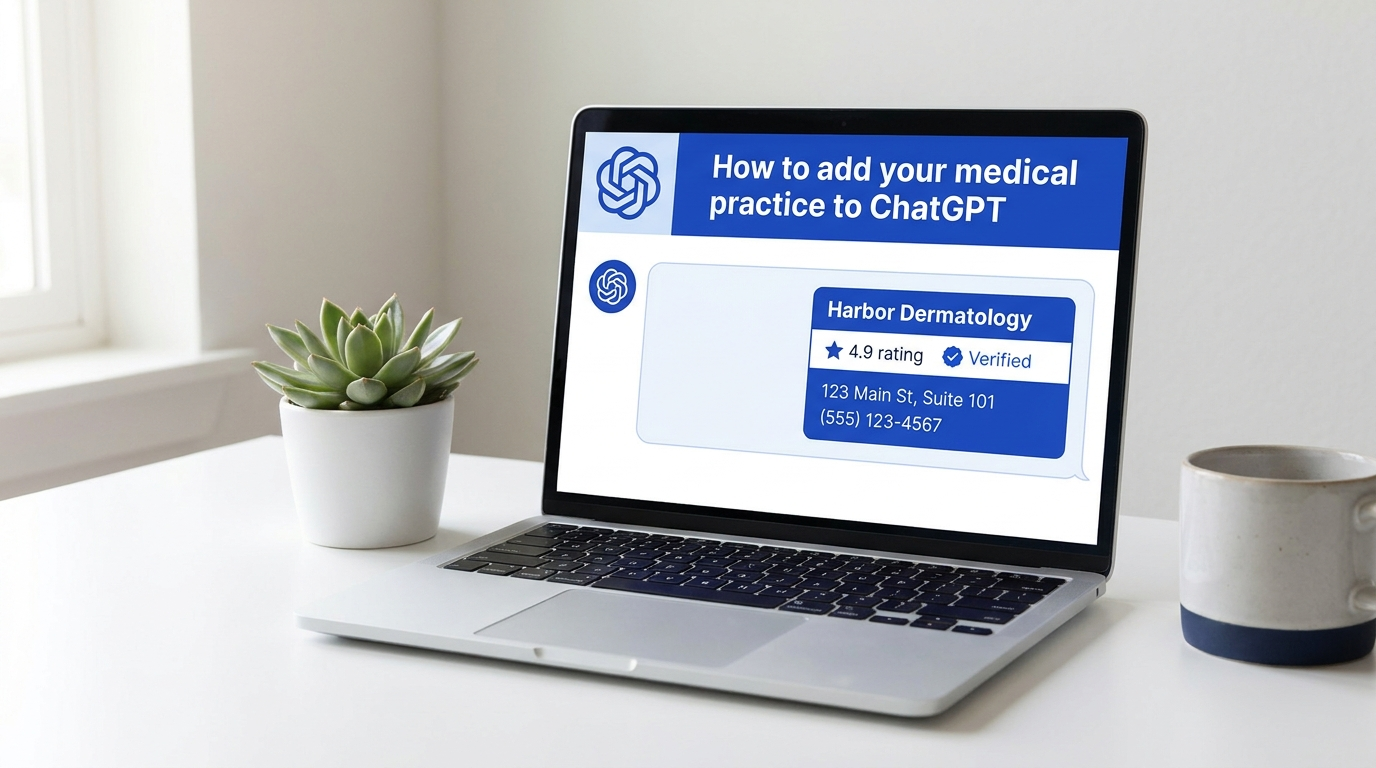
How to Add Your Medical Practice to ChatGPT
Written by Artem Saribekyan, Founder and CEO of Doctor Rank. Twenty years in search marketing for medical practices. Building AI search and AI receptionist systems for practices since ChatGPT launched in late 2022. Last updated November 2026.
The ChatGPT Business Hub opened on November 10, 2026. Claiming your profile takes about five minutes, and only the owner can do it.
Claim your practice in the ChatGPT Business Hub in six steps: search your Google name, verify by phone, pass the ID check, then add your managers. For doctors, dentists and practice owners.
Artem Saribekyan
CEO, Doctor Rank
The short answer
Go to chatgpt.com/business-hub on a computer, search your practice name as it appears on Google, click Claim, verify by phone, then verify your identity with a government ID and your business tax ID. Approval took minutes in our claims. Then invite your managers. The whole thing is about five minutes of your time, and only the owner can do it.
Below: why it matters now, the six steps in full, what to send your agency if they manage the profile for you, and the questions practice owners asked us about the hub.
Why claim your ChatGPT business profile now
On November 10, 2026, OpenAI opened the ChatGPT Business Hub: a place where a business claims its own profile, verifies it, and supplies the information ChatGPT uses when someone asks about it. It is the same move Google made years ago with Google Business Profile, and the same logic applies. Patients already ask ChatGPT which dermatologist, dentist or surgeon to see. A claimed profile is how your practice shows up in those answers with your own details instead of whatever the model scraped.
Being early matters more than being perfect. Most practices have not heard of the hub yet. The profile also shows you how often ChatGPT mentions your practice and how many people click through, which is the first direct number any practice has had for AI search.
One thing only you can do
OpenAI verifies the owner's identity for every business: government ID, selfie, business tax ID. Nobody can claim the profile on your behalf. Everything after the claim, the details, the services, what ChatGPT says about you and the monthly numbers, can be handed to a manager.
How to add your practice to ChatGPT, step by step
- 1
Open the Business Hub on a computer
Go to chatgpt.com/business-hub in a desktop browser; the claim flow is built for a computer screen, so skip the phone. Sign in to your ChatGPT account. A free account works; you do not need a paid plan to claim a profile.
- 2
Find your listing and click Claim
Type your practice name exactly as it appears on Google. Pick your listing from the results, click Claim, then Continue. If you have more than one location, each one is claimed separately.
- 3
Verify you own the business
ChatGPT offers verification by phone, by email, or through your website. Phone is the fastest: enter the code from the text or call. The website option gives you a TXT record (type, host, value) that someone adds to your domain settings; if an agency manages your domain, send the three lines to them and continue once it is in place.
- 4
Verify your identity
Click Verify your business, then Start verification. Have your government ID and your business tax ID (EIN) ready. You scan a code with your phone, photograph the ID, take a selfie and enter the tax ID. OpenAI runs this check on the owner for every business, which is why nobody can claim your profile for you.
- 5
Wait for approval
The screen says "verification pending." A pop-up asking you to verify again can stay on the page; ignore it. In our own claims, approval came through in about 5 to 10 minutes.
- 6
Add your managers
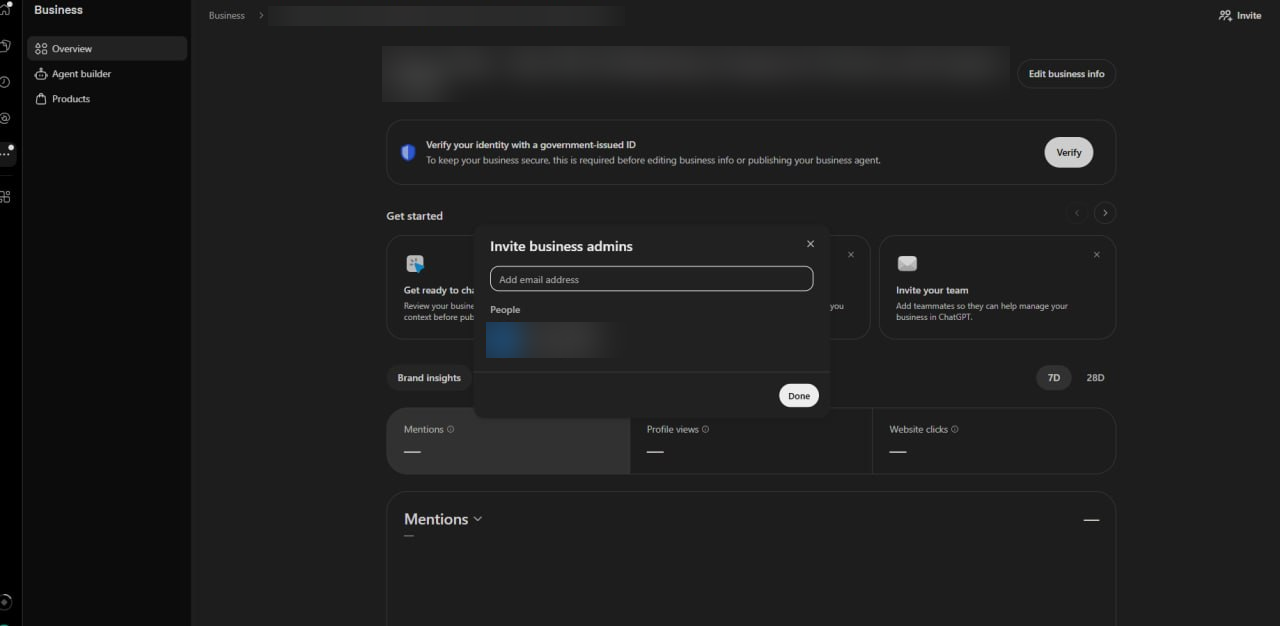
Once it says verified, open the business profile and go to the managers section. Invite the people who will keep the profile accurate, for example your office manager or your marketing agency, by email. Each manager needs a ChatGPT account of their own.
Have more than one location? Repeat steps 2 to 6 for each one. The identity check runs per business, so keep your ID and tax ID at hand until the last location is verified.
Do it yourself or hand it to your marketing agency
Option 1: you claim, you manage
Follow the six steps, then keep the profile current yourself: hours, services, phone, booking link, and the description patients read. Check back monthly for the mentions and click numbers.
Option 2: you claim, your agency manages
Do steps 1 to 5 yourself, since the identity check has to be you. At step 6, invite your agency's email as a manager. That is all they need from you.
If the phone route fails and you choose website verification, send them the TXT record (all three lines: type, host, value). If they manage your domain they add it; if not, they pass it to your web team.
For our own clients this is part of the plan at no extra charge: they claim, invite us, and we optimize and manage the ChatGPT profile the same way we manage the Google Business Profile. The two profiles should say the same thing about the practice, and both should match the website and the listings on Yelp, Zocdoc, Healthgrades and the rest. That consistency is most of what AI search optimization comes down to.
What to put in the profile once it is verified
- Name, address, phone, hours exactly as on Google and your website. One version everywhere.
- Services patients ask for by the names they use, not internal codes. A med spa lists Botox and laser hair removal; a dental practice lists implants and veneers.
- The booking link and the right phone number for new patients, so the click goes somewhere that converts.
- A plain description of who you treat and what you are known for, in the words of your reviews. No superlatives you cannot back.
- Provider credentials that are true and verifiable: board certifications, years in practice, training, in the same wording as your website.
The profile does not replace reviews, your Google listing or your website. ChatGPT still reads those when it answers. Our guide on how to get ChatGPT to recommend your practice covers the rest of that work.
Questions practice owners asked about the ChatGPT Business Hub
Does a ChatGPT business profile cost anything?
No. Claiming and verifying a profile in the ChatGPT Business Hub is free, and a free ChatGPT account is enough to do it. A paid ChatGPT plan is not required.
Can my marketing agency claim my ChatGPT profile for me?
Not on their own. OpenAI verifies the owner with a government ID, a selfie and the business tax ID for every business. The practical split is: you claim and verify, then invite the agency as a manager, and they handle the profile from there. If you would rather not click through it yourself, an agency can run the claim with you on a screen share while you show your ID.
I have several locations. Do I claim each one?
Yes. Each location is its own listing and its own claim, and the identity check runs per business. Search for each location by its exact Google name and repeat the steps.
What does the profile change about how ChatGPT answers patients?
A claimed profile lets you supply your own details, services and links, and it gives you a view of how often ChatGPT mentions your practice and how many people click through. It does not guarantee a recommendation. What ChatGPT says still depends on your Google profile, reviews, website and listings, which is why the profile is managed together with those.
Which verification method should I pick?
Phone, if the number on file reaches you. It takes a minute. Use the website (TXT record) option only when the phone and email routes fail, and hand the record to whoever manages your domain.
Want your ChatGPT profile managed with your Google profile?
Doctor Rank runs SEO and AI search for private medical practices, one practice per specialty per city, with the founder on every account.
Book a free consultationWritten by
Artem Saribekyan
Artem is the CEO and founder of Doctor Rank, a digital marketing agency specializing in local SEO and AI search optimization for private medical practices. Based in New York, Doctor Rank manages SEO and marketing for over 20 medical practices including plastic surgeons, dermatologists, med spas, cosmetic dentists and psychiatrists.
Learn more about our team